Defect data arrives as a binary outcome. A wafer passed, or it did not. Logistic regression is the workhorse model for that shape of data, and it is one of the few statistical tools whose coefficients translate directly into language a process engineer can act on, because the coefficients become odds ratios.
This post walks through a complete logistic regression workflow in R using a simulated dataset from a deposition style process step. Every number below comes from synthetic data generated in R with a fixed seed. The results are illustrative examples of the method, not measurements from a real fab, and the whole analysis is reproducible from the code shown.
Why a binary outcome needs its own model
Fitting ordinary least squares to a 0 or 1 response is a mistake that shows up immediately. The fitted line is unbounded, so it will happily predict a defect probability of 1.3 or -0.4. Those are not probabilities.
Logistic regression fixes this by modelling the log odds of the outcome as a linear function of the predictors, then mapping that linear score back into the 0 to 1 interval with the logistic function.
odds        = p / (1 - p)
log(odds)   = b0 + b1 * x1 + b2 * x2 + ...
p           = 1 / (1 + exp(-(b0 + b1 * x1 + b2 * x2 + ...)))
The second line is the part that makes the model useful for engineering work. Exponentials of individual coefficients, exp(b), are odds ratios, and an odds ratio has a concrete reading. It tells you how much the odds of the outcome multiply when that predictor increases by one unit, holding the other predictors fixed.
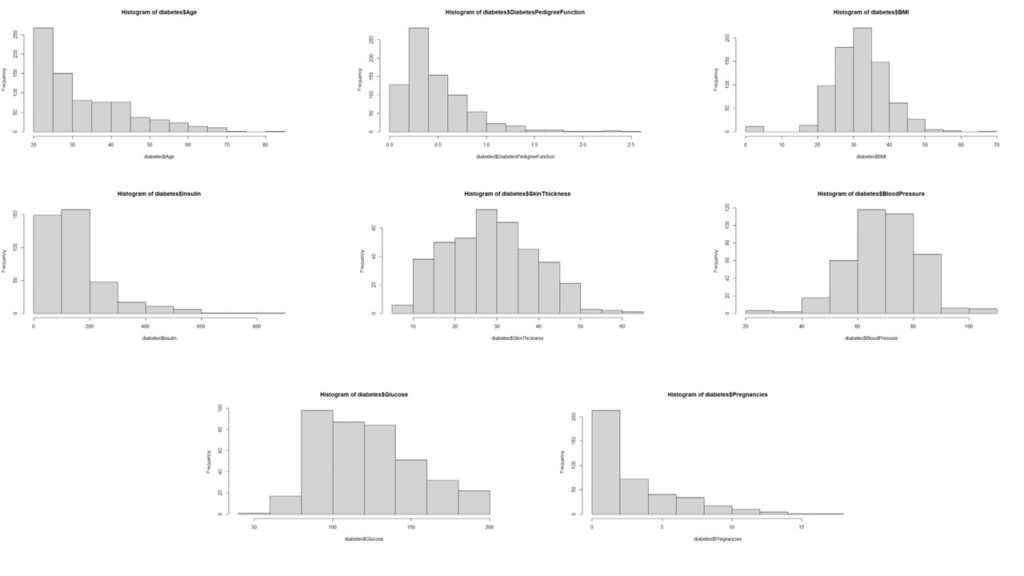
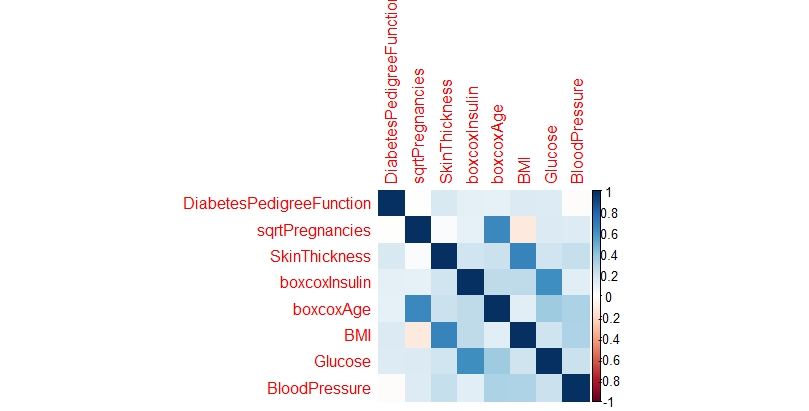
I used the same core method in an earlier post to compare logistic regression against SVMs and random forests on a diabetes dataset. That comparison is worth reading alongside this one, because it shows where a plain logistic model earns its keep and where it does not.
Building a synthetic defect dataset in R
To make the exercise checkable, I simulate data from a known generating model. That means we already know the true coefficients, so we can see whether the fit recovers them.
The simulated process has 600 wafers. Chamber pressure is drawn from a normal distribution with a mean of 400 mTorr and a standard deviation of 50 mTorr. Temperature offset is drawn from a normal distribution centred on the setpoint with a standard deviation of 2.5 degrees Celsius. The defect outcome is then drawn from a Bernoulli distribution using a log odds that increases linearly with both variables.
set.seed(2026)
n <- 600

pressure    <- rnorm(n, mean = 400, sd = 50)    # chamber pressure, mTorr
temp_offset <- rnorm(n, mean = 0,   sd = 2.5)   # drift from setpoint, degrees C

# Known generating model: the log odds of a defect
lp <- -1.6 + 0.010 * (pressure - 400) + 0.35 * temp_offset
defect <- rbinom(n, 1, plogis(lp))

wafers <- data.frame(pressure, temp_offset, defect)

mean(wafers$defect)
# [1] 0.2083333
The realised defect rate is 20.8%, or 125 defective wafers out of 600. That matters later, because a common outcome is where odds ratios start to diverge from risk ratios.
Because these are simulated values, the truth is known: pressure has a true log odds coefficient of 0.010 per mTorr and temperature offset has a true coefficient of 0.35 per degree Celsius. Keep those numbers in mind when reading the fitted output.
Fitting the model with glm()
A single call to glm() does the fit. The only change from a linear model is the family argument.
fit <- glm(defect ~ pressure + temp_offset,
           data = wafers,
           family = binomial)

summary(fit)$coefficients
#               Estimate Std. Error  z value    Pr(>|z|)
# (Intercept) -7.9442103 1.04214300 -7.62296 2.47931e-14
# pressure     0.0155781 0.00244606  6.36866 1.90684e-10
# temp_offset  0.3727396 0.05061324  7.36447 1.77856e-13
Both slopes came out positive and both z statistics are large. Pressure was estimated at 0.0156 per mTorr against a true value of 0.010, and temperature offset at 0.3727 per degree against a true value of 0.35. The temperature coefficient landed almost exactly on the truth, while pressure was overestimated by roughly 56%. That gap is a useful reminder: a coefficient with a tiny p value is not the same thing as an accurate coefficient.
Turning coefficients into odds ratios
The coefficients on the log odds scale are hard to reason about. Exponentiating them gives the interpretable version, and confint() supplies profile likelihood confidence intervals.
exp(coef(fit))
#  (Intercept)     pressure  temp_offset
# 0.0003547099 1.0157001203 1.4517062153

exp(confint(fit))
#                   2.5 %      97.5 %
# (Intercept) 4.302299e-05 0.002576628
# pressure    1.010957e+00 1.020716126
# temp_offset 1.317993e+00 1.607832085
Pressure is easier to discuss in 10 mTorr steps than in single mTorr steps, so I scaled it.
exp(coef(fit)["pressure"] * 10)
# [1] 1.16857

exp(confint(fit)["pressure", ] * 10)
#    2.5 %   97.5 %
# 1.115140 1.227580
A 10 mTorr increase in chamber pressure multiplies the odds of a defect by about 1.17, with a 95% confidence interval of 1.12 to 1.23. A one degree drift in temperature offset multiplies the odds by about 1.45, with an interval of 1.32 to 1.61. Both intervals sit entirely above 1, so neither variable is plausibly neutral in this simulated process.

One caution is worth stating plainly. Odds ratios and risk ratios are not the same number, and they diverge most when the outcome is common. With a defect rate near 21% in this dataset, dividing an odds ratio to approximate a risk ratio would understate the effect. If the goal is a risk ratio for a change in process conditions, compute it directly from predicted probabilities rather than reading it off the odds ratio.
Does the fitted curve actually match the observed data?
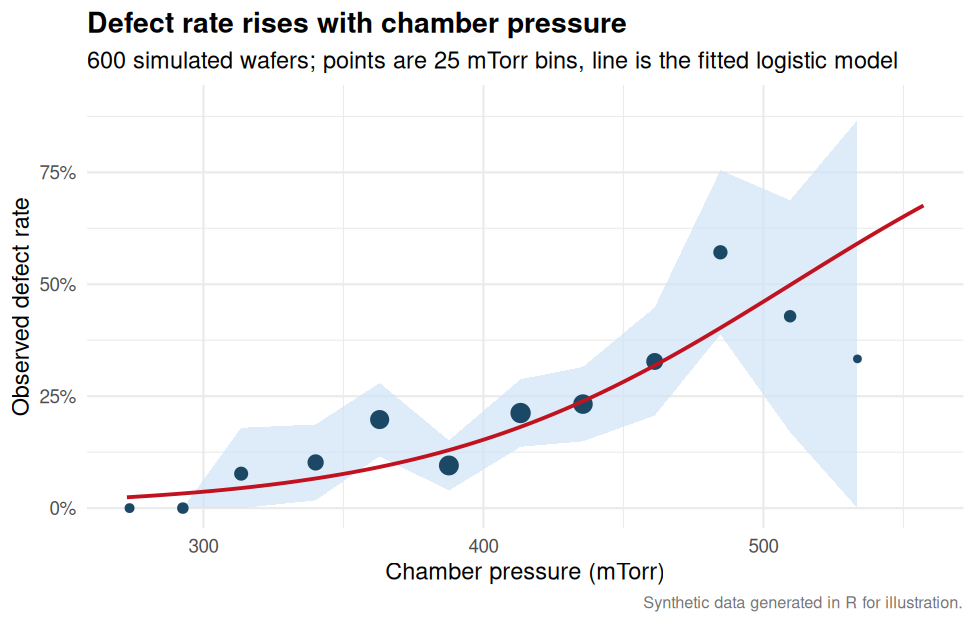
Coefficients and confidence intervals say a relationship exists. They do not say the fitted shape is right. The check I reach for first is to bin the predictor and compare the observed defect rate against the model’s predicted rate within each bin.
wafers$fitted <- fitted(fit)
wafers$bin <- cut(wafers$pressure, seq(250, 550, by = 25))

b <- aggregate(cbind(defect, fitted) ~ bin, wafers, mean)
b$n <- aggregate(defect ~ bin, wafers, length)$defect

print(cbind(bin = as.character(b$bin),
            observed  = round(b$defect, 3),
            predicted = round(b$fitted, 3),
            n = b$n), quote = FALSE)

#       bin       observed predicted n
#  (250,275]      0.000     0.018     4
#  (275,300]      0.000     0.018     9
#  (300,325]      0.077     0.072    26
#  (325,350]      0.102     0.099    49
#  (350,375]      0.198     0.136    91
#  (375,400]      0.095     0.153   105
#  (400,425]      0.212     0.202   113
#  (425,450]      0.232     0.267    99
#  (450,475]      0.328     0.330    58
#  (475,500]      0.571     0.443    28
#  (500,525]      0.429     0.440    14
#  (525,550]      0.333     0.797     3
The middle of the distribution tracks well. Between 300 and 475 mTorr the predicted rates sit close to the observed rates, and the overall trend is captured. The edges are noisier. The two lowest bins contain 4 and 9 wafers with no defects at all, and the highest bin contains 3 wafers, where the model predicts 0.797 and the observed rate is 0.333.
The model overestimates defect risk in the sparse high pressure tail of this simulated dataset. With three wafers in that bin, the observed rate of 0.333 is not a stable estimate of anything. The honest conclusion is that the fit is reasonable through the bulk of the data and unreliable where the data runs thin. That is a property of the sample, not a failure of the method.
Evaluating discrimination with a ROC curve
A ROC curve shows how well the model ranks defective wafers above good ones as the threshold moves. The area under that curve is the probability that a randomly chosen defective wafer receives a higher predicted probability than a randomly chosen good one.
phat <- fitted(fit)
ord  <- order(phat, decreasing = TRUE)
y    <- wafers$defect[ord]

tpr <- cumsum(y) / sum(y)          # true positive rate
fpr <- cumsum(1 - y) / sum(1 - y)  # false positive rate

auc <- sum(diff(c(0, fpr, 1)) *
           (head(c(0, tpr, 1), -1) + tail(c(0, tpr, 1), -1)) / 2)
auc
# [1] 0.7841
The area under the curve is 0.784. In plain terms, the model ranks a defective wafer above a good one roughly 78% of the time. I cross checked that figure against the Mann-Whitney U identity, which gives the same value, so the trapezoidal implementation is not the source of the number.

An AUC of 0.78 is respectable for a two variable screening model on synthetic data, and it is not good enough to run a disposition decision from. It is good enough to rank a lot and send the worst wafers to inspection.
The trap in a 0.5 cutoff
The default behaviour of most classification code is to call anything above 0.5 a defect. On this dataset that produces a comfortably reassuring accuracy figure and a badly broken classifier.
pred <- ifelse(phat > 0.5, 1, 0)
tab  <- table(predicted = pred, observed = wafers$defect)
tab
#          observed
# predicted   0   1
#         0 454  99
#         1  21  26

mean(pred == wafers$defect)          # accuracy
# [1] 0.8
26 / sum(wafers$defect == 1)         # sensitivity
# [1] 0.208
454 / sum(wafers$defect == 0)        # specificity
# [1] 0.9558
Accuracy is 80%, which sounds like a working model. Sensitivity is 20.8%, which means it catches roughly one defective wafer in five and waves the other four through. The reason the two numbers coexist is the class imbalance. This dataset is 20.8% defective, so a model that predicts “no defect” for every single wafer already scores 79.2%.
Always predicting no defect scores 79.2%. The fitted model at a 0.5 cutoff scores 80.0%. The cutoff adds less than one percentage point over doing nothing at all. High accuracy on an imbalanced outcome is close to meaningless on its own.
The fix is to stop choosing the cutoff by convention and start choosing it by consequence. Sweeping the threshold makes the trade off visible.
for (t in c(0.10, 0.15, 0.20, 0.25, 0.30)) {
  pred <- ifelse(phat > t, 1, 0)
  tb <- table(factor(pred, levels = c(0, 1)),
              factor(wafers$defect, levels = c(0, 1)))
  cat(sprintf("%.2f  %.3f  %.3f  %3d  %.3f\n",
              t, tb[2,2]/sum(tb[,2]), tb[1,1]/sum(tb[,1]),
              sum(pred), tb[2,2]/sum(pred)))
}| Cutoff | Sensitivity | Specificity | Wafers flagged | Precision |
|---|---|---|---|---|
| 0.10 | 0.904 | 0.396 | 400 | 0.282 |
| 0.15 | 0.848 | 0.558 | 316 | 0.335 |
| 0.20 | 0.768 | 0.691 | 243 | 0.395 |
| 0.25 | 0.632 | 0.794 | 177 | 0.446 |
| 0.30 | 0.544 | 0.834 | 147 | 0.463 |
The trade off is stark. Dropping the cutoff to 0.20 lifts sensitivity from 0.208 to 0.768, catches 96 of the 125 defective wafers, and flags 243 of 600 wafers, or about 41% of the lot. Precision at that setting is 0.395, meaning most flagged wafers are actually fine.
No statistical criterion picks the right row in that table. The right cutoff is a cost decision. If a missed defect costs far more than an unnecessary inspection, move the cutoff down. If inspection capacity is the binding constraint, move it up. The model’s job is to produce a well ranked probability. Choosing where to cut is the engineer’s job.
Checking whether the model holds together
Two predictors, one degree of freedom each, and a deviance comparison is enough to confirm that both are contributing.
c(null.deviance   = fit$null.deviance,
  resid.deviance  = fit$deviance,
  df.null         = fit$df.null,
  df.resid        = fit$df.residual)
#  null.deviance resid.deviance        df.null       df.resid
#        614.088        509.962        599.000        597.000

fit$null.deviance - fit$deviance       # 104.126 on 2 df
# p-value: <2e-16
AIC(fit)                                # 515.96
The fit reduces deviance by 104.1 on 2 degrees of freedom, which is far beyond what chance would produce. Both variables are pulling weight, and the AIC gives a baseline for comparing this model against alternatives you might build later.
Two limits on that check are worth naming. Deviance based tests are approximate for binary outcomes, because the deviance does not follow a chi squared distribution as cleanly as it does for counts. A p value below 2e-16 here is a strong signal, not a precise measurement. And this model was never tested for an interaction between pressure and temperature offset. The true generating model in this simulation has no interaction, so a fitted interaction term would be capturing noise, but on real data that assumption needs to be tested rather than assumed.
Where this fits in a process monitoring workflow
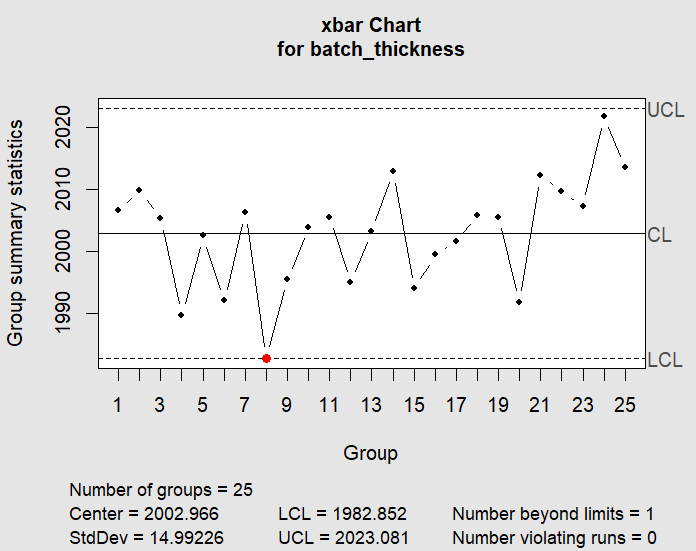
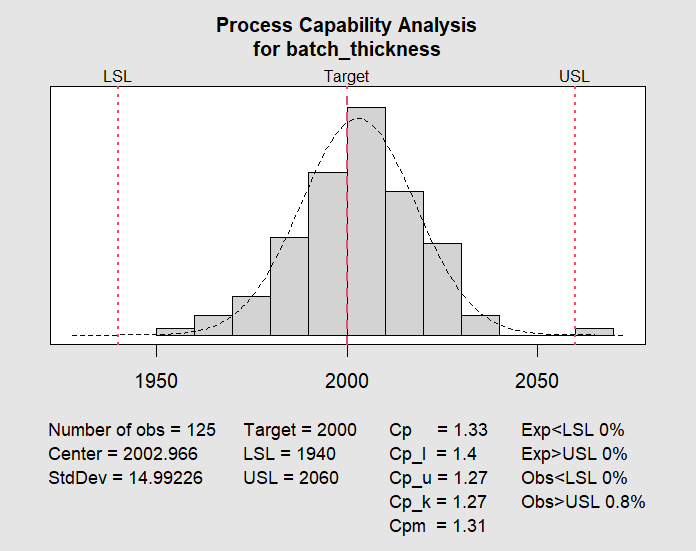
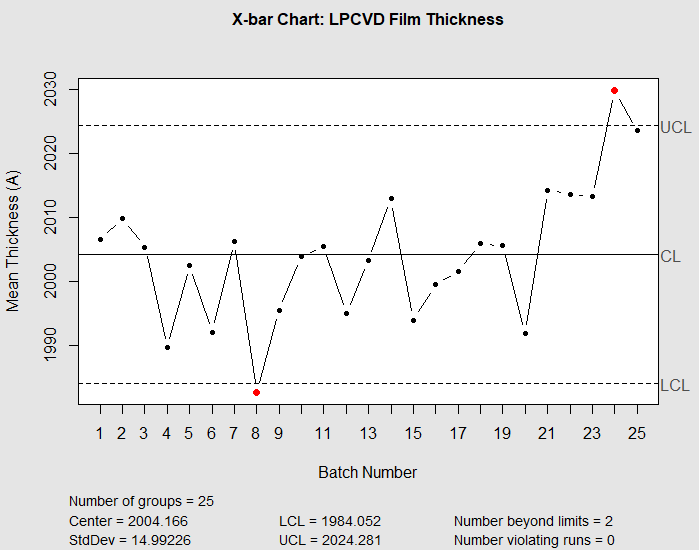
Logistic regression is the natural companion to the continuous variable methods that already underpin process monitoring. Control charts answer whether a measured parameter has moved outside its expected variation, and I covered that ground in SPC charts in R for semiconductor process monitoring. Capability analysis answers whether the process can meet a specification once it is stable, which is the focus of the process capability analysis post.
Both of those methods assume the thing you care about is a continuous measurement, such as film thickness or etch rate. Defect data breaks that assumption. Once the quality signal is binary, control charts and capability indices no longer apply in their usual form, and a model like this one takes over. It tells you which parameters move the odds of a defect, how strongly, and where to set a screening threshold.
Practical notes before using this on real data
Four things are worth carrying over from this exercise.
Report the threshold sweep, not just the AUC. An AUC of 0.784 sounds fine, and the same model at a 0.5 cutoff catches one defect in five. The curve and the chosen operating point need to appear together.
Keep the validation split honest. This model was evaluated on the data it was fitted to. Real defect models should be validated on held-out wafers, ideally split by lot or by time, because wafers from the same lot are not independent observations.
Separate the odds ratio from the risk ratio. They track each other only when the outcome is rare. At a 21% defect rate they do not, and the gap grows as the rate climbs.
Distinguish a significant coefficient from an accurate one. The pressure coefficient in this fit had a p value around 1.9e-10 and still landed 56% above the value used to generate the data. Statistical significance is a statement about signal relative to noise, not a guarantee of calibration.
The complete analysis reproduces from the code shown with set.seed(2026). Swap in a real defect table with a binary outcome column and the same workflow applies. The parts that need rethinking for real data are the validation split, the threshold choice, and any interaction or wafer position terms the process actually has.